Welcome to KnowHow Daily!
Practical guides, money-saving tips, tech solutions, government benefits, and useful information for everyday life.
Welcome to KnowHow Daily!
Practical guides, money-saving tips, tech solutions, government benefits, and useful information for everyday life.

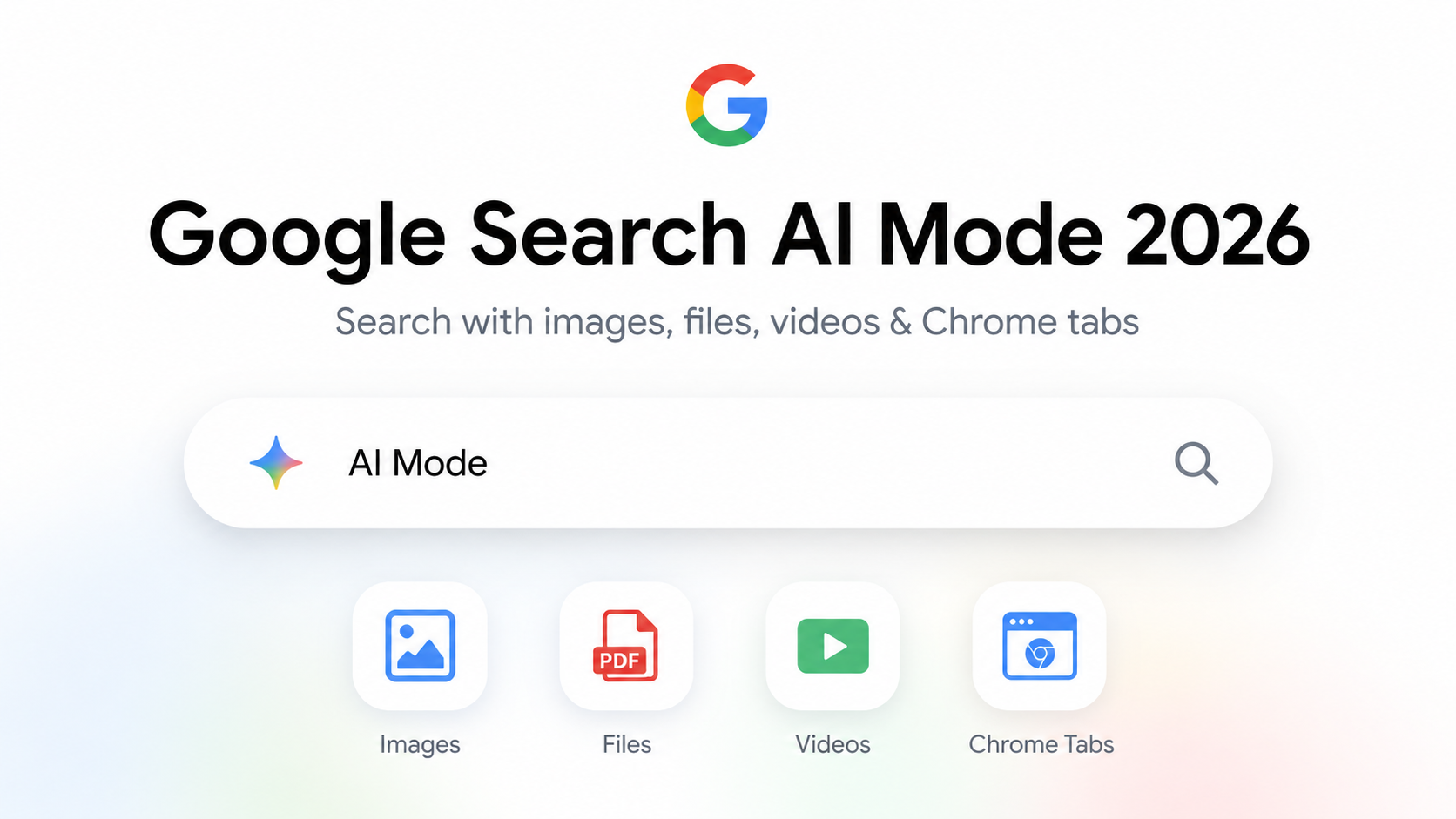
| • Google says its 2026 Search redesign can use text, images, files, videos and Chrome tabs as inputs to AI Mode. • In Chrome, you can combine recent tabs, images and files such as PDFs in the same AI Mode query. • AI answers can speed up research, but important claims should still be checked against the linked source pages, especially for prices, rules, health, legal and financial information. |
Classic web search rewarded short, carefully chosen keywords. AI Mode is designed to accept more context at once. Instead of searching “family hotel Seattle parking,” you can describe the actual situation: dates, budget, children, parking needs and the type of neighborhood you prefer, then refine the answer with follow-up questions.
This does not mean keywords are useless. Product names, error codes and exact phrases remain powerful. The difference is that you can now mix those precise terms with the surrounding context instead of running six separate searches.
Google says the new Search box can accept text, images, files, videos and Chrome tabs. In Chrome, AI Mode can also bring several recent tabs into one query. That is useful when you are comparing product pages, reading several articles about the same topic or trying to understand a PDF alongside a web page.
For example, you could attach a product manual and ask which section explains a specific warning, or select several open hotel pages and ask for a comparison based only on the information in those tabs. The more clearly you tell Search what information to use, the easier it is to inspect the result.
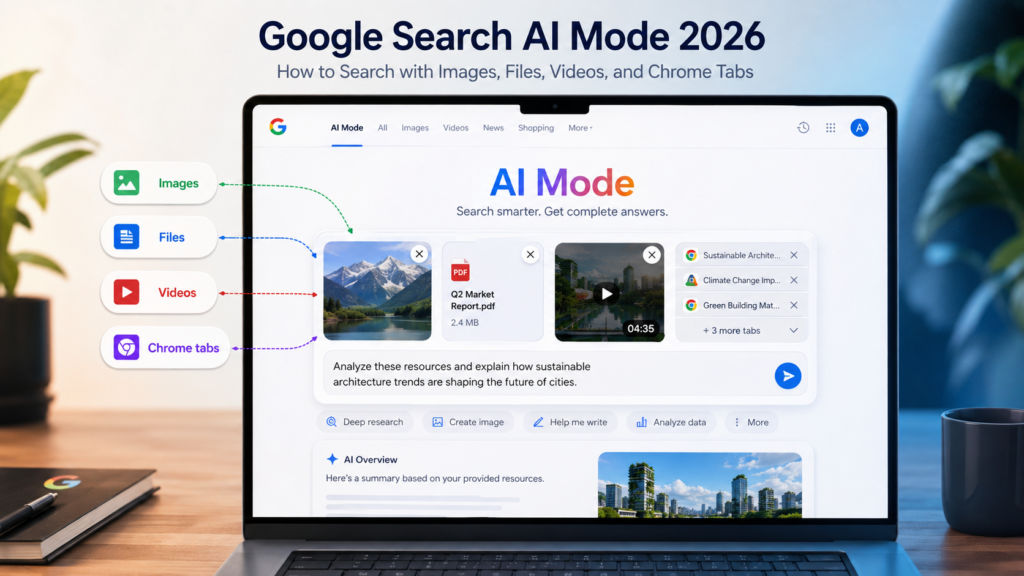
First say what you are trying to accomplish. Second, give the constraints that actually change the answer. Third, say what form you want the result in. “Compare these three router pages for a 2,000-square-foot home, prioritize wired backhaul and show the differences in a table” is much more useful than “which is best?”
After the first answer, narrow it. Ask for only the options that meet a requirement, request the source for a particular claim, or ask it to separate confirmed facts from assumptions. Follow-up search is where the conversational interface becomes more useful than a single summary box.
AI Mode is still Search. Google says users continue to receive a range of results from the web. Use those links. For a release date, government deadline, medical warning, tax rule or expensive purchase, open the source page and confirm the date and context yourself.
Also be cautious with sensitive files. The ability to attach a document is not the same as a recommendation to upload every document you own. Remove unnecessary personal information and use the privacy controls appropriate to your account and organization.
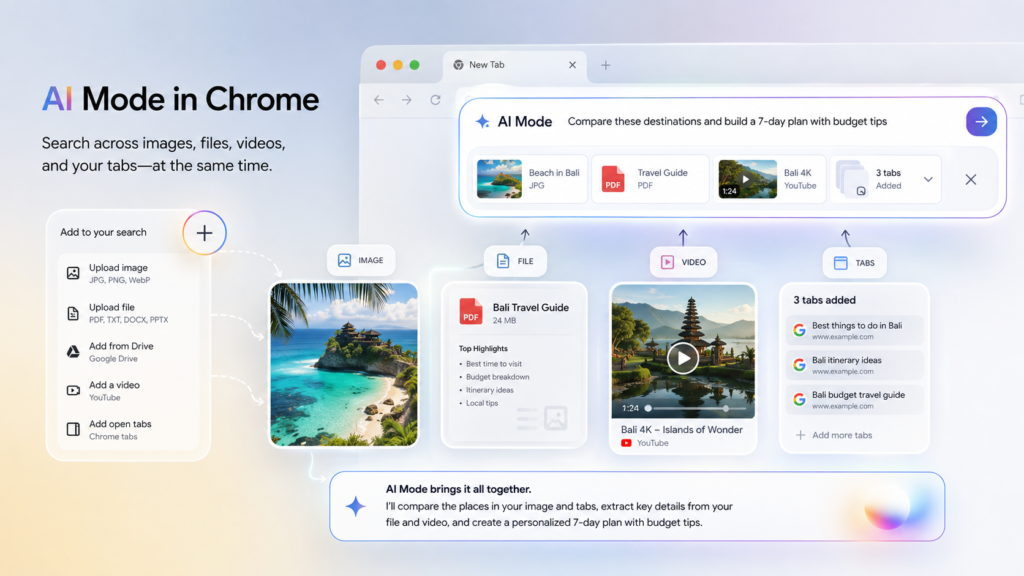
Google rolls Search features out across accounts, languages, devices and regions. Chrome-specific tab integration also depends on the browser experience. If a menu shown in a tutorial is missing, update Chrome or the Google app and check the current Google documentation before trying to force a setting that is not available to your account yet.
Because the interface is changing quickly, screenshots in a blog post will age faster than the underlying workflow. Teach the concepts—add context, attach relevant material, ask follow-ups and verify sources—rather than relying only on one button location.
| Official Links • Google: A new era for AI Search Read Google’s I/O 2026 explanation of the redesigned Search box. https://blog.google/products-and-platforms/products/search/search-io-2026/ • Google: AI Mode in Chrome See how tabs, images and files can be combined in Chrome searches. https://blog.google/products-and-platforms/products/search/ai-mode-chrome/ • Google Search Check the Search experience available on your account and region. https://www.google.com/ |
Q. Can Google AI Mode search a PDF?
A. Google says AI Mode can accept files, and its Chrome integration specifically mentions files such as PDFs.
Q. Can I search across several open Chrome tabs?
A. Yes, where the Chrome AI Mode integration is available. Google says users can select recent tabs and combine them with other inputs.
Q. Should I trust an AI Mode answer without opening sources?
A. For low-stakes exploration it can be a useful starting point. For important or time-sensitive claims, open the linked source and verify the original information and date.