Welcome to KnowHow Daily!
Practical guides, money-saving tips, tech solutions, government benefits, and useful information for everyday life.
Welcome to KnowHow Daily!
Practical guides, money-saving tips, tech solutions, government benefits, and useful information for everyday life.

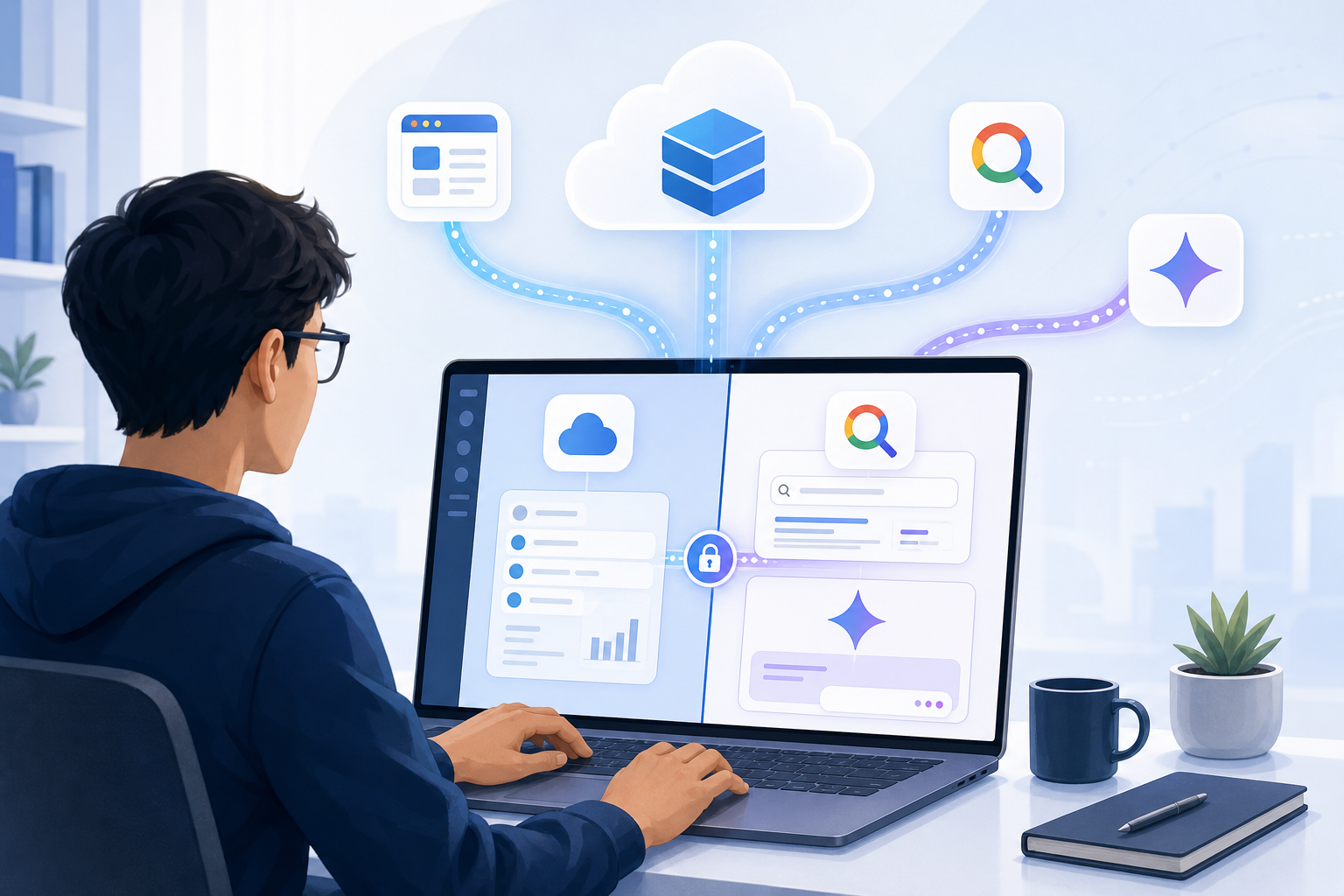
Google's Connected Apps Platform gives developers one integration path for Search and Gemini. Learn how MCP, AppFunctions, permissions, testing, and preview access work.

Google’s Connected Apps Platform is a new preview system that gives developers one place to build, test, register, and manage app integrations for Google Search and the Gemini app. Google announced it on October 28, 2026, describing it as a way to build once and reach users across multiple Google products.
The important distinction is that this is more than a listing of apps that Gemini can open. A connected app can expose authorized data and actions so users can ask for information or complete tasks inside a Google experience. Depending on the integration, that could mean checking an account, searching personal data, booking something, updating a project, or carrying out another clearly defined action.
However, the platform is still in preview. Google says access is opening in phases, with more developers, markets, and Google products expected over the coming months. That means the platform is worth evaluating now, but it should not yet be treated as a universally available production channel.

The basic flow is conversational. A user connects an app, grants the permissions required for its tools, and then asks Gemini or another applicable Google product to retrieve information or perform an action. The connected app supplies the capability, while Google’s product provides the conversational interface and context.
Developers expose those capabilities through one of two main paths:
MCP stands for Model Context Protocol. In practical terms, it provides a structured way for an AI client to discover a service’s tools, understand their inputs, and request approved operations. It does not mean that Gemini automatically receives unrestricted access to an entire backend. Developers choose which tools and data to expose, and the integration still depends on authentication, permissions, safety annotations, and review.
Build and deploy a remote MCP server Review the official Connected Apps Platform developer guideGoogle Connected Console is the management layer for the preview. According to Google’s developer documentation, teams can use it to connect an MCP server, choose where the app will be available, configure its public-facing identity, manage testers, analyze usage, version the integration, and submit it for review.
A typical setup involves more preparation than simply pasting in an API endpoint. Developers should expect to provide or verify:
Configure OAuth 2.1 authorizationGoogle also lets developers select which tools are enabled and whether a tool needs contextual signals such as the user’s language, approximate location, or precise location. That choice matters. Requesting additional context can make an integration more useful, but it also increases the privacy and review burden. A location permission should have a specific, defensible purpose rather than being enabled simply because it might be useful later.
Review the official Google Connected Console setup processThe two integration paths are complementary, not interchangeable. Choosing the wrong one early could create extra work later because Google’s registration flow treats the connection type as a fundamental part of the connected app.
| Integration path | Best fit | Main trade-off |
|---|---|---|
| Remote MCP server | Web services, account-based tools, cross-platform capabilities, and existing APIs | Requires a reliable public service, authentication design, monitoring, and secure backend execution |
| Android MCP with AppFunctions | Native Android features, on-device data, and actions tied closely to an Android app | More platform-specific and less suitable as the only path for web, iOS, and general cross-platform reach |
For example, a project-management company that wants users to search tasks and create updates from Gemini may start with a remote MCP server. A mobile app that needs Gemini to interact with local device features or the current app state may have a stronger reason to use AppFunctions.
Some companies may eventually support both, but the initial product decision should be based on where the important action happens. If the capability lives primarily in a cloud service, remote MCP is the more natural starting point. If the value depends on Android’s local context, the Android route deserves closer attention.
Connected apps can read information, write changes, or trigger actions on a user’s behalf. That makes permission design just as important as the technical connection.
Google’s guidance asks developers to distinguish read-only operations from state-changing or destructive actions. Tool schemas should clearly describe required parameters, allowed values, authentication needs, and expected results. Developers can also configure whether certain operations require confirmation before execution.
This is especially important for actions such as placing an order, changing an account setting, deleting information, or making a reservation. A well-designed integration should make the action understandable before it happens, avoid broad permissions when a narrow one is enough, and return a useful result if the operation fails.
Users also need a clear way to disconnect the service. Google’s developer-mode documentation says users can disconnect a custom MCP server from their Connected Apps settings or remove its connection through their Google Account controls. For developers, that means account linking and revocation should be treated as part of the product experience rather than an afterthought.
Google provides Gemini Apps Developer Mode as a debugging and evaluation workspace. Developers can connect a registered app or test a deployed HTTPS MCP endpoint directly, then inspect tool calls, response payloads, HTTP status codes, execution latency, and schema behavior.
The workspace also includes simulated context controls. Teams can test how their tools behave with different dates, times, and language settings without changing the development machine. Authentication flows and safety prompts can be checked before the app is submitted for review.
Unpublished connected apps are limited to approved testers. Google’s current documentation says testers must use Gmail accounts, and it may take up to 10 minutes for a newly added tester to see the app. That restriction is useful for controlled testing, but it also means teams need a realistic plan for gathering feedback before public availability.
Open the official Gemini Apps Developer Mode guideThe announcement positions the platform as a unified way to reach high-intent users in Search and Gemini. Google also says that more than 50 connected apps have launched across those experiences, with partners in areas such as productivity, health, fitness, ticketing, and creativity.
That does not guarantee that every connected app will appear in both products immediately. Developers choose whether to target Search, the Gemini app, or both, and availability depends on Google’s rollout, review, product support, and market coverage. Google has not published a complete public country-by-country availability table for the preview, so teams in the United States and Canada should confirm the destinations offered during onboarding rather than assume identical access.
The platform also does not remove the need for a strong product case. An integration that merely repeats a website’s navigation may offer little value. The better candidates have a clear beginning and end: finding a relevant account record, comparing live options, creating a document, making a booking, checking a status, or completing another task that benefits from natural-language interaction.
The Connected Apps Platform is worth a structured technical evaluation if your service already has secure APIs, clear user permissions, and actions that people naturally express in conversation. It is less compelling if your product depends on complicated visual workflows, has weak authentication controls, or cannot define safe, predictable tool behavior.
Before committing significant engineering time, use this checklist:
The practical opportunity is real, but the preview rewards preparation. Teams that treat Connected Apps as a secure product surface—not simply another AI plug-in—will be better positioned to learn from early access without overcommitting to assumptions Google has not yet confirmed.
A. No. Google announced it as a preview on October 28, 2026, with access opening in phases. More developers, markets, and Google products are expected over time, but Google has not published a complete country-by-country availability list.
A. No. Developers choose the Google products where the app should be available, and each destination may have separate rollout, review, or availability conditions.
A. A remote MCP server is the broader cross-platform option for cloud services and capabilities that may work across the web, Android, and iOS. AppFunctions is Google’s Android MCP path for deeper, more local integration with Android apps and device context.
A. Yes. Google provides Gemini Apps Developer Mode for inspecting tool calls, schemas, authentication, latency, simulated context, and failures. Unpublished apps can also be shared with approved testers, although Google’s current documentation says those testers must use Gmail accounts.
A. Prepare a public HTTPS endpoint, domain verification, authentication details, privacy and terms pages, app metadata, tool schemas, safety annotations, example prompts, and a testing plan. The exact preview access and product availability shown during onboarding may vary.