Welcome to KnowHow Daily!
Practical guides, money-saving tips, tech solutions, government benefits, and useful information for everyday life.
Welcome to KnowHow Daily!
Practical guides, money-saving tips, tech solutions, government benefits, and useful information for everyday life.

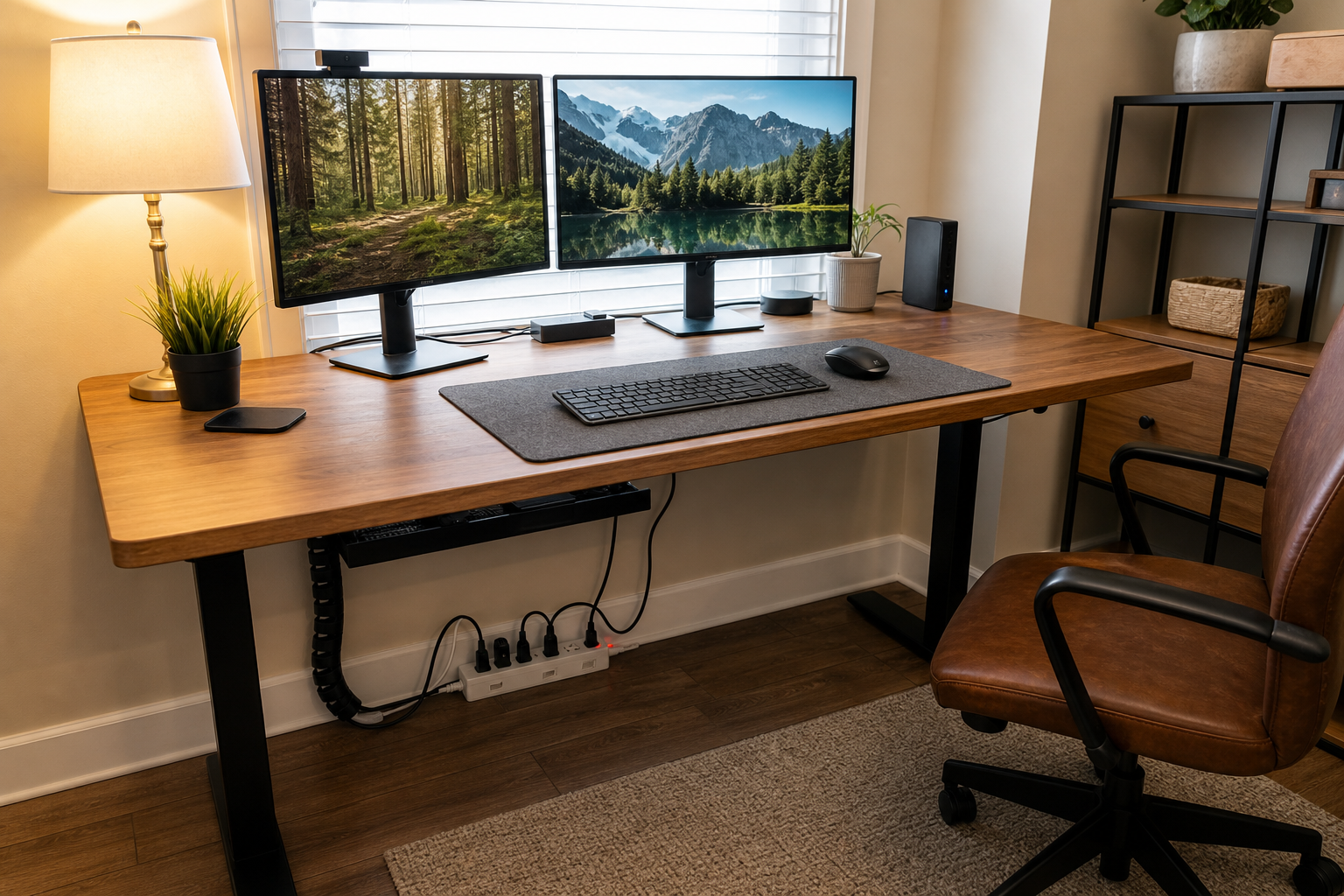
Learn how to choose a safe home office surge protector by checking certification marks, joules, amp ratings, outlet layout, USB ports, and device compatibility.
For most desks, the right choice is a certified, corded surge protector rated for the voltage and current of your wall circuit. Look for enough outlets for your computer, monitors, speakers, router, chargers, and other low-power electronics, with at least a few outlets spaced far enough apart for bulky power adapters.
A basic 15-amp, 120-volt model is suitable for many U.S. and Canadian home-office setups, but the rating printed on the product—not a general rule—determines what it can safely handle. A model with automatic shutoff or a clear protection-status light is also useful because it gives you a visible warning when the protection components are no longer active.
A power strip simply adds outlets. It may include a switch or circuit breaker, but that does not automatically mean it protects connected electronics from voltage surges.
A surge protector includes components designed to limit or divert short voltage spikes before they reach connected equipment. The two products can look almost identical, so read the label and specifications rather than relying on the product’s shape or the presence of a power switch.
Surge protection is useful for computers, monitors, networking equipment, televisions, audio equipment, and chargers. It cannot guarantee protection from every electrical event, and no plug-in device should be treated as protection against a direct lightning strike.
The most useful buying criteria are safety certification, electrical capacity, surge-protection specifications, physical layout, and the types of equipment you plan to connect. This is a desk-research buying guide based on safety guidance from UL Solutions, Health Canada, and electrical-safety organizations. It is not a hands-on test or ranking of specific products.
Certification comes first because a high joule number does not make an uncertified product safe. After that, match the protector’s voltage and amperage to the circuit and connected equipment. Then consider whether the outlets, cord, mounting style, USB ports, and warranty fit your workspace.
| What to compare | What it tells you | What to look for |
|---|---|---|
| Safety mark | Whether the product has been evaluated by a recognized certification body | UL or cUL in the U.S. and Canada; CSA or cETL in Canada, as applicable |
| Amperage and voltage | The maximum electrical load the device is designed to carry | A rating compatible with your wall circuit and equipment |
| Joule rating | How much surge energy the protection components are designed to absorb | A clearly stated rating; compare it only among otherwise suitable certified products |
| Protection status | Whether the surge-protection circuit is still operating | A light or automatic shutoff feature |
| Outlet spacing | Whether large adapters block neighboring outlets | Widely spaced or rotating outlets for bulky plugs |
| USB ports | Convenience for charging devices | Clearly stated USB output and a reputable certification mark |
In the United States, look for a legitimate mark from a recognized testing organization, such as the UL Mark. A product may also show a standard reference such as UL 1449 for surge-protective devices, but the mark should appear on the product itself and correspond to the product being sold.
Canadian buyers should look for a recognized Canadian electrical certification mark, including CSA, cUL, or cETL where applicable. Health Canada warns consumers not to buy plug-in electrical products without an appropriate certification mark. Be cautious when a listing shows a mark only in a product photo or makes a vague claim such as “tested to UL standards” without identifying the certified product.
The amp rating limits the current the protector can safely carry. Many North American household circuits are 15 amps at 120 volts, but the actual circuit and product rating still need to be checked. As a rough electrical relationship, watts equal volts multiplied by amps. At 120 volts, 15 amps corresponds to 1,800 watts in the simple calculation, but you should not treat that number as an invitation to load the strip to its maximum.
Desktop computers, monitors, routers, speakers, and chargers generally use much less power than heaters or cooking appliances. Laser printers can draw more power briefly when warming up, so check the printer’s specifications and avoid combining it with high-load equipment on a crowded strip.
The joule rating describes the amount of surge energy the protection components are designed to absorb. A larger number can be useful when comparing similar, properly certified products, but it does not replace checking the safety mark, clamping or voltage-protection information, maximum current, and warranty terms.
Manufacturers may also list a voltage-protection or let-through rating. Lower protected voltage is generally preferable when the measurement methods and product categories are comparable, but these specifications are not always presented in a consistent way across brands. Avoid choosing solely by the biggest number printed on the package.
Count more than just the number of devices. A desktop computer may need one outlet, each monitor may need another, and a router, speakers, desk lamp, phone charger, and printer can quickly use the rest. Leave a little room for future additions so you are not tempted to add another power strip.
Look for widely spaced outlets if you use large laptop chargers, monitor power bricks, or USB-C charging adapters. A right-angle plug and a cord long enough to reach the wall without tension can make the setup safer and easier to manage.
Built-in USB ports can reduce clutter, but they are not automatically equivalent to a laptop charger or a high-power USB-C power adapter. Check the total output, not just the number of ports. If several devices share the ports, the available charging power may be divided among them.
For laptops and other high-power devices, use the manufacturer’s approved charger unless the surge protector specifically provides the required USB-C power output. The surge-protection rating for the AC outlets does not tell you how quickly the USB ports can charge a device.
Do not plug a portable electric heater into a power strip or surge protector. The same caution applies to other high-wattage heating appliances unless the manufacturer and electrical-safety guidance specifically allow that setup.
Never connect one power strip or surge protector to another. This practice, sometimes called daisy-chaining, can overload the wiring or make it harder to identify the total load. Plug the protector directly into a properly grounded wall outlet.
Do not use a damaged unit. Replace it if the case is cracked, the cord or plug is frayed, it becomes unusually hot, the reset button repeatedly trips, or the protection indicator shows that protection has failed. Surge protectors can also need replacement after a major surge event, even when the outside still looks normal.
A surge protector helps with short voltage events, but it does not provide battery power. If a desktop computer, modem, router, or external drive must remain on during a brief outage, consider a UPS with enough watt capacity for those devices.
Use the UPS manufacturer’s instructions when connecting equipment. In particular, do not add another surge protector to the UPS output unless the manufacturer specifically permits it. A UPS also does not make a space heater or other high-load appliance appropriate for a power strip.
Choose a certified standard surge protector if you mainly need to connect a computer, monitors, networking equipment, chargers, and other low-power electronics. Choose a model with more widely spaced outlets if bulky adapters are your main problem. Choose a UPS when keeping equipment running through short outages matters. If your setup includes heating appliances, workshop tools, or other high-load devices, use a properly rated dedicated outlet or consult a qualified electrician rather than adding them to the office surge protector.
A. There is no single joule number that guarantees the best protection. Choose a properly certified product with a clearly stated joule rating, then compare voltage-protection details, amperage, outlet layout, and replacement features among similar models.
A. Often, yes, if the surge protector is properly rated and the combined electrical load stays within its limits. Check the printer’s specifications, especially for laser printers that may draw more power during warm-up, and do not add heaters or other high-wattage appliances.
A. It can help protect the computer from short voltage surges, but it will not keep the computer running during an outage. A properly sized UPS is a better choice when preventing abrupt shutdowns or protecting networking equipment during brief power interruptions matters.
A. Replace it when the protection indicator shows failure, after a significant surge event, or when the case, cord, plug, switch, or outlets show damage, overheating, or looseness. Do not continue using a unit that trips repeatedly or has a frayed cord.
A. They can be safe when used as directed and certified for the Canadian market. Look for a recognized Canadian electrical certification mark such as CSA, cUL, or cETL, and never use a power bar for a portable heater or connect power bars together.