Welcome to KnowHow Daily!
Practical guides, money-saving tips, tech solutions, government benefits, and useful information for everyday life.
Welcome to KnowHow Daily!
Practical guides, money-saving tips, tech solutions, government benefits, and useful information for everyday life.

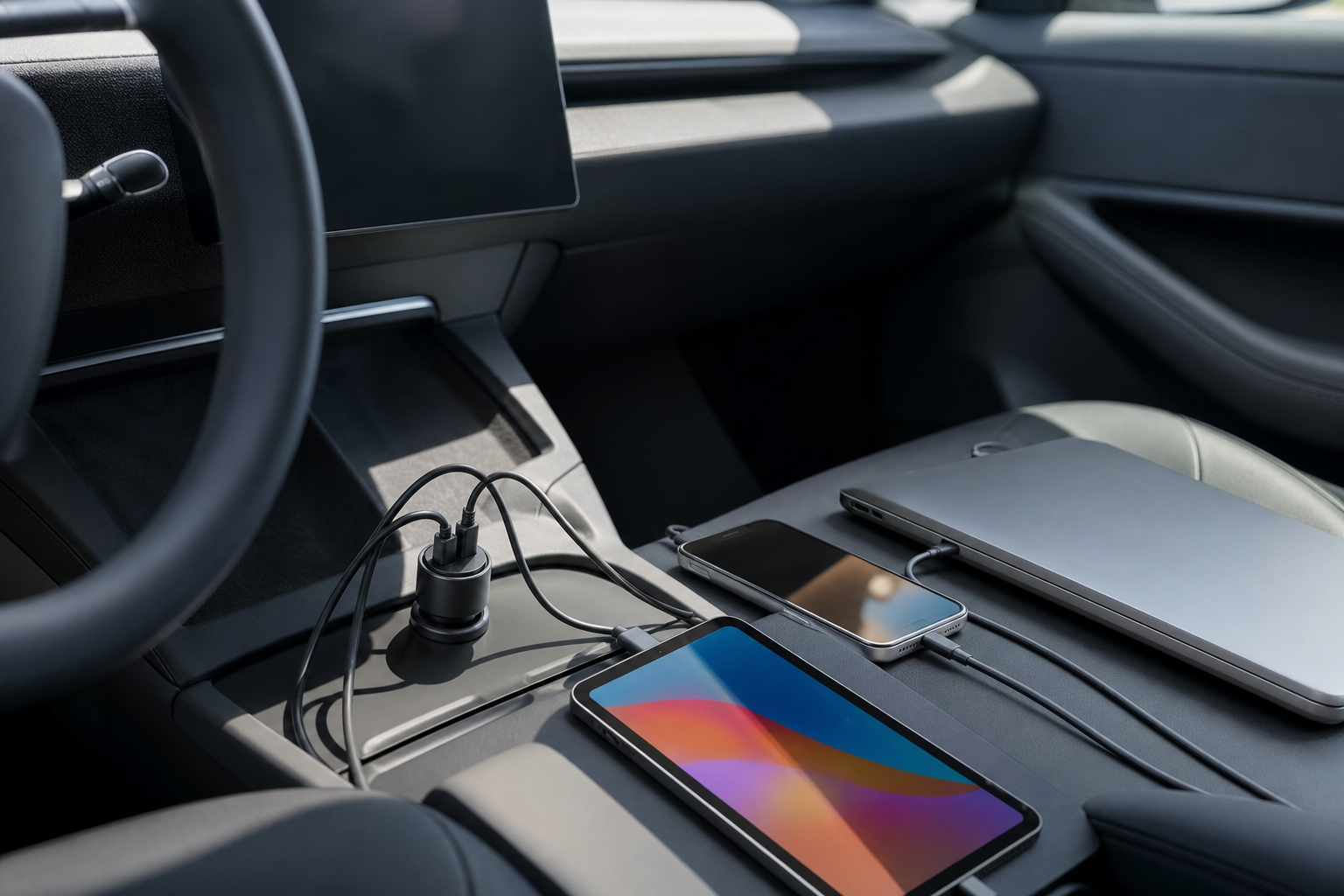
Compare USB-C car chargers for phones, tablets, and laptops. Learn how USB PD wattage, cable ratings, port sharing, heat, and vehicle limits affect your choice.
For most drivers, a USB-C car charger with USB Power Delivery is the right starting point. Phones and tablets usually need far less power than laptops, so the best model depends on whether you want simple phone charging, several devices at once, or enough output for a computer.
| Best fit | Model to consider | Why it stands out | Main limitation |
|---|---|---|---|
| Multiple devices and laptop charging | UGREEN 130W USB-C Car Charger | Three ports, up to 130W total, and a USB-C port rated for up to 100W | Total power is shared when several ports are used |
| Compact everyday charging | Satechi 72W Type-C PD Car Charger Adapter | Up to 60W through USB-C plus a second USB-A port rated up to 12W | Not the best choice for demanding laptops or several USB-C devices |
| Simple phone or tablet charging | A reputable 30W to 45W USB-C PD car charger | Usually small, affordable, and more than adequate for mobile devices | Often unsuitable for full-speed laptop charging |
These are researched recommendations based on published manufacturer specifications, not hands-on test results. Prices, stock, retailer availability, and included accessories can change in the United States and Canada.
The useful number is not the largest wattage printed on the box. The important questions are whether the charger supports USB Power Delivery, how much power each USB-C port can provide, what happens when more than one port is occupied, and whether the cable can carry the advertised power.
USB-IF describes USB Power Delivery as a negotiated system: the charger and device agree on a suitable voltage and current rather than simply forcing the charger’s maximum output into the device. USB PD 3.1 supports power levels up to 240W in the wider USB-C ecosystem, although most car chargers offer considerably less.
For this guide, the shortlist favors products with clear manufacturer specifications, a stated USB-C PD output, useful vehicle compatibility, and enough information to understand multi-port behavior. It does not treat customer ratings, promotional discounts, or a high total-wattage number as proof of better real-world performance.
| Charger | USB-C output | Other ports | Best use |
|---|---|---|---|
| UGREEN 130W USB-C Car Charger | Up to 100W on its main USB-C port | Second USB-C port and USB-A port | Laptop plus phone or tablet charging |
| Satechi 72W Type-C PD Car Charger Adapter | Up to 60W | USB-A up to 12W | One laptop, tablet, or phone plus a second basic device |
| 30W–45W USB-C PD car charger | Usually one USB-C PD port | Varies by model | Phones, earbuds, handheld consoles, and tablets |
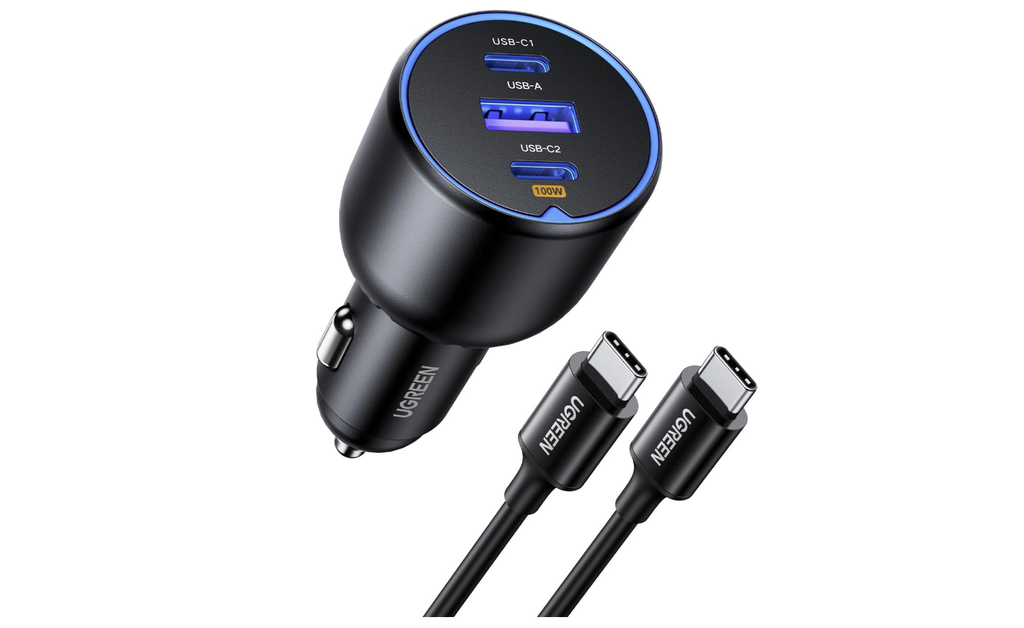
The UGREEN 130W model is the more capable option when a car becomes a mobile workspace. The manufacturer lists three ports, a 100W USB-C PD output, a second USB-C port rated at 30W, and a USB-A output. It also includes a 100W USB-C cable with the product listing.
That combination makes it suitable for a USB-C laptop, phone, and tablet or accessory, provided the actual power split meets your needs. A 100W label does not mean every connected device receives 100W at the same time. Once multiple ports are active, the charger allocates its available capacity among them.
This is the better choice for a MacBook Air, many USB-C Windows laptops, or a handheld gaming device that benefits from more than basic phone-charging power. It is less appealing if you only charge one phone, because a smaller charger will take up less space and may cost less.
Satechi’s 72W adapter keeps the layout simple: one USB-C PD port provides up to 60W, while the USB-A port provides up to 12W for another device. Its compact design is a practical match for a driver who mainly charges a phone or tablet but occasionally needs to top up a USB-C laptop.
Sixty watts is enough for some thin-and-light laptops. For example, Microsoft lists 39W to 60W minimum or recommended charging figures across several recent Surface Laptop models. Apple also lists USB-C power sources ranging from 40W to 70W for current MacBook Air configurations, depending on the model and charging goal.
The trade-off is flexibility. This is not a three-device USB-C workstation charger, and the USB-A port is intended for lower-power charging. It also will not turn a laptop that needs a proprietary connector or a much higher-power adapter into a USB-C charging device.
For a phone, 20W to 30W USB-C PD is generally a sensible target. Tablets and handheld consoles often benefit from 30W to 45W, although the device determines how much it actually accepts. A charger with more capacity will not automatically make a device charge faster if the phone or tablet does not support that power level.
For a laptop, start with the wattage printed on its original adapter or listed in the manufacturer’s support documentation. A 45W or 60W charger may be suitable for many ultraportables, while performance laptops can need substantially more. Charging while gaming, video editing, or running demanding software can also require more power than charging while the computer is asleep.
As a practical rule, choose a charger that meets or exceeds the laptop’s required wattage on a single USB-C port. If you plan to charge another device at the same time, confirm the charger’s multi-port output table rather than relying on its total-wattage headline.
A USB-C connector does not tell you how much power a cable can carry. USB-IF distinguishes USB-C from USB Power Delivery, and compliant USB-C-to-USB-C cables are marked for power capability. Look for a cable rated for at least 60W when using a typical laptop charger, or 240W where the charger and device support higher USB PD power.
Some car chargers include a suitable cable, but not all do. A cable intended mainly for phone data or basic charging may limit the system even when the charger itself has plenty of output. For laptop use, check both ends of the cable, its power rating, and whether it supports the connector arrangement your computer uses, such as USB-C to USB-C or USB-C to MagSafe.
Most plug-in car chargers are designed for a 12V or 12–24V accessory socket, but the socket’s fuse rating and the vehicle manufacturer’s limits still matter. Avoid assuming that a charger’s maximum output is always available from every vehicle. If the socket is loose, unusually hot, damaged, or shared with another high-load accessory, stop using it until the problem is addressed.
Heat is another reason not to judge a charger by wattage alone. High-power charging in a hot parked vehicle can make the charger, cable, and device warmer, especially when several ports are active. Keep the adapter’s vents clear, avoid leaving electronics in direct sun, and use a charger with published over-temperature and short-circuit protection.
In both the United States and Canada, the main technical buying criteria are the same. The differences are more likely to involve retailer stock, warranty terms, included plugs or cables, and the price shown in local currency. Verify those details on the retailer or manufacturer page before ordering.
If you mainly charge a phone and tablet, choose a compact USB-C PD adapter in the 30W–60W range. If you regularly charge a laptop and several devices, the UGREEN 130W is the more flexible fit. If you want a smaller adapter with enough power for many thin laptops, the Satechi 72W model is the simpler choice.
A. Yes, if the laptop supports charging through USB-C and the charger provides the required USB Power Delivery wattage on one port. Many thin laptops work with roughly 45W to 70W, while more powerful models may require considerably more. Check the laptop’s original adapter or official specifications before buying.
A. No. The device controls how much power it accepts, and the cable and charging protocol also matter. A 100W charger is more capable, but a phone that accepts 25W will not charge at 100W.
A. Multi-port chargers share their available power. The main USB-C port may provide its maximum output when used alone but receive less power when another USB-C or USB-A port is active. Check the manufacturer’s output table for the exact combination.
A. Use a cable with a power rating that matches the charger and laptop. A 60W-rated cable is suitable for many everyday laptop setups, while higher-power USB PD systems may require a 240W-rated cable. The connector shape alone does not confirm the cable’s power capability.
A. It depends on the vehicle. Some accessory sockets remain powered after the ignition is off and may slowly drain the battery. Unplug the charger when parked if your vehicle keeps the socket live, or follow the vehicle manufacturer’s guidance.