Welcome to KnowHow Daily!
Practical guides, money-saving tips, tech solutions, government benefits, and useful information for everyday life.
Welcome to KnowHow Daily!
Practical guides, money-saving tips, tech solutions, government benefits, and useful information for everyday life.

Google is adding clearer links, official-website sections, news carousels, and creator profiles to AI Mode and AI Overviews. Here's how to use and verify them.
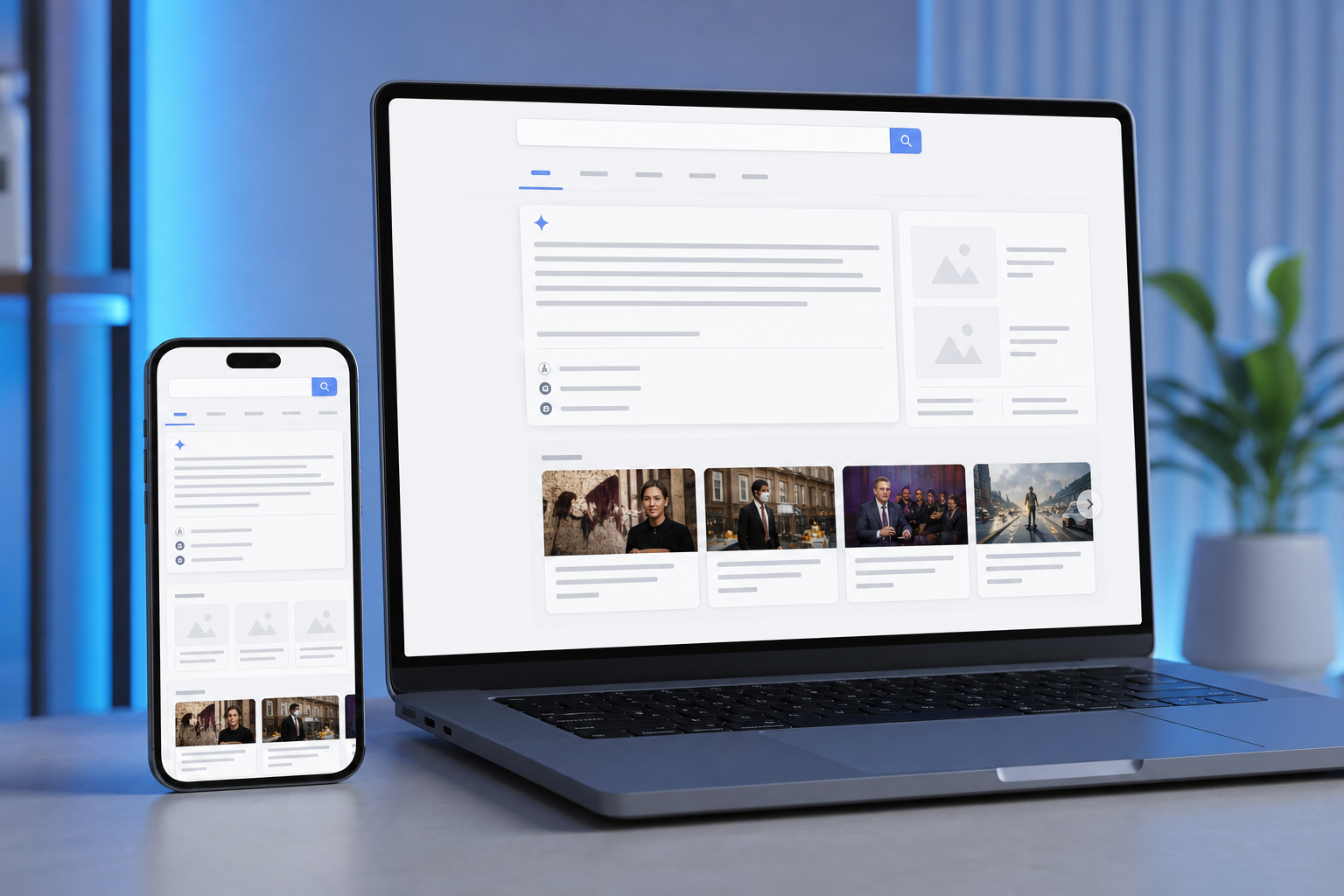
Google is changing how its AI-powered search features connect people with the wider web. In an announcement dated October 15, 2026, Google said AI Mode and AI Overviews will show clearer inline links, more context about sources, dedicated sections for certain official websites, more prominent links to timely articles, and clickable creator or publisher profiles on some video results.
The practical difference is simple: Google wants the AI answer to act less like a final destination and more like a guided starting point. Instead of reading a summary and stopping there, you should have more obvious ways to open the page behind a claim, find the official service or organization involved, or compare current reporting.
The most important distinction is that an AI-generated answer is not the same thing as the source it references. The summary is produced by Google’s systems. The linked webpage is where you should check the original wording, date, qualifications, instructions, and surrounding context.

Google’s update covers several related changes rather than one new tool.
Inline links are clickable words or phrases embedded directly in an AI response. Google says it is increasing their presence and showing important links higher in responses more often.
That could make research faster. If an answer mentions a government form, a manufacturer’s specification, or a study, the relevant phrase may lead directly to a useful page instead of forcing you to run another search.
It also creates a reason to slow down. A link attached to a sentence may support only part of that sentence, and the page may not say exactly what the AI summary claims. Treat the link as an invitation to inspect the source, not as automatic proof.
Google says it is testing a dedicated section at the top of some AI responses when there are only one or two especially relevant official pages for a task or piece of information. The section may include context explaining why each link is useful.
This should be helpful for searches involving a specific online task, such as finding an official application, checking a service’s requirements, or locating a company support page. It may also reduce the risk of landing on an unofficial guide when the exact answer belongs on a government, manufacturer, school, airline, or other organization’s website.
Google describes this as a test, so the layout and availability may vary by query, language, location, device, and account. The presence of an official-link section does not mean every result shown elsewhere is unofficial.
For searches about developing topics, Google is rolling out prominent carousels of timely articles to additional locations and languages. These visual sections are designed to make current coverage easier to find and may highlight sources a user has selected as preferred sources.
This is particularly useful when a topic is changing quickly. A short AI summary can provide orientation, while the article carousel lets you compare reporting from multiple publishers. Look at publication times carefully, though. The most visible article is not necessarily the newest, most authoritative, or closest to the original reporting.
Some AI responses already include links for exploring related angles. Google says these links are becoming more prominent, with image thumbnails and a more clickable design.
These suggestions may help when you are learning about a complicated subject and want background, examples, or a different perspective. They can also pull you away from the question you originally asked, so check the headline and description before opening a result.
Google has started testing clickable creator and publisher names on some video results in AI Mode. Those names can lead to Search profiles that provide more context about the creator and their broader work.
This gives viewers another way to evaluate a video. A profile may help you see whether the account regularly covers the subject, publishes across several topics, or represents an organization. It still does not establish that a particular video is accurate.

AI Mode is designed for follow-up questions and more involved research. Google says it can divide a question into related subtopics, search across multiple sources, and combine the results into a conversational response.
You can access AI Mode through Google’s dedicated AI Search page, from the AI Mode option in Google Search, or through the Google app where the feature is available.
Open Google AI ModeA useful way to think about the experience is to separate discovery from verification:
These search experiences overlap, but they serve different purposes.
| Search experience | Best use | Main limitation |
|---|---|---|
| AI Overviews | Getting a quick explanation and a starting set of sources | The summary can omit qualifications or make mistakes |
| AI Mode | Exploring a topic through follow-up questions, comparisons, files, images, or multiple sources | The conversation can make an uncertain answer feel more confident than it is |
| Regular web results | Reviewing pages, headlines, dates, and source choices yourself | You may need more time to compare and interpret the results |
| Web filter | Seeing text-based links without AI Overviews and other search features | It does not automatically rank results by authority or accuracy |
Google’s Search Help documentation says AI Overviews cannot be turned off as a core Search feature, but you can select the Web filter after searching to see text-based links without features such as AI Overviews.
For news searches, the new presentation could make it easier to move from a broad summary to live coverage. That is helpful when a story is developing, but it also increases the importance of checking timestamps and distinguishing original reporting from articles that are repeating one another.
Google has also been expanding Preferred Sources, a setting that lets users identify websites they want to see more prominently. Google says preferred sources can appear in AI responses and article carousels. This can improve personalization, but it should not replace source comparison. A familiar publisher can still publish an incomplete or outdated article.
For research, the dedicated official-link section may be the most useful change. If you are looking for a form, policy, product manual, or official announcement, start with the page that owns the information. Secondary explainers can clarify confusing language, but the primary source should settle the exact requirement whenever one exists.
Before relying on an answer, ask five quick questions:
For everyday questions, this may take only a few seconds. For a tax deadline, health decision, financial choice, school requirement, travel rule, or software configuration, it is worth opening the source pages and reading beyond the highlighted passage.
Everyday searchers may notice that AI answers feel more connected to webpages instead of presenting links as a separate list. Students and professionals may benefit from faster source discovery, especially when a question involves several subtopics.
People looking for official instructions may see the clearest improvement if Google’s dedicated official-website display appears for their query. News readers may find current articles more visible through the new carousels.
Availability will not be identical everywhere. Google’s October 15 announcement says some features are being tested or rolled out to additional locations and languages, while the Google Search Help pages describe AI Mode and AI Overviews as available only in supported regions, languages, devices, and account settings. If a feature does not appear, that does not necessarily mean it has been removed or that your search is incorrect.
If you want to inspect pages without an AI-generated summary, run the search and select the Web filter. This is useful when you already know the kind of source you want, when you need to compare several pages yourself, or when an AI answer seems too broad or suspiciously confident.
You can also search with more precise terms, such as a government department, product model, publication name, date, or the operator site: followed by a domain. These approaches do not guarantee a perfect result, but they give you more control over which pages you evaluate.
The best way to use the October 2026 changes is to let AI Search shorten the path to relevant information without skipping the last step. Read the summary for context, open the underlying pages, and make important decisions from verified source material rather than from the generated paragraph alone.
A. Google says AI Overviews are a core Search feature and cannot be turned off completely. After running a search, you can select the Web filter to view text-based links without features such as AI Overviews.
A. No. The link shows where Google found supporting information, but the AI-generated wording may simplify, combine, or misunderstand the source. Open the page and confirm that it supports the exact claim.
A. No. Google describes the dedicated official-website display as a test for searches where one or two official pages are especially relevant. Its availability and layout may vary by location, language, device, query, and account.
A. An AI Overview provides a summary within regular Search results. AI Mode is designed for deeper conversations, follow-up questions, comparisons, and questions involving text, images, or files.