Welcome to KnowHow Daily!
Practical guides, money-saving tips, tech solutions, government benefits, and useful information for everyday life.
Welcome to KnowHow Daily!
Practical guides, money-saving tips, tech solutions, government benefits, and useful information for everyday life.

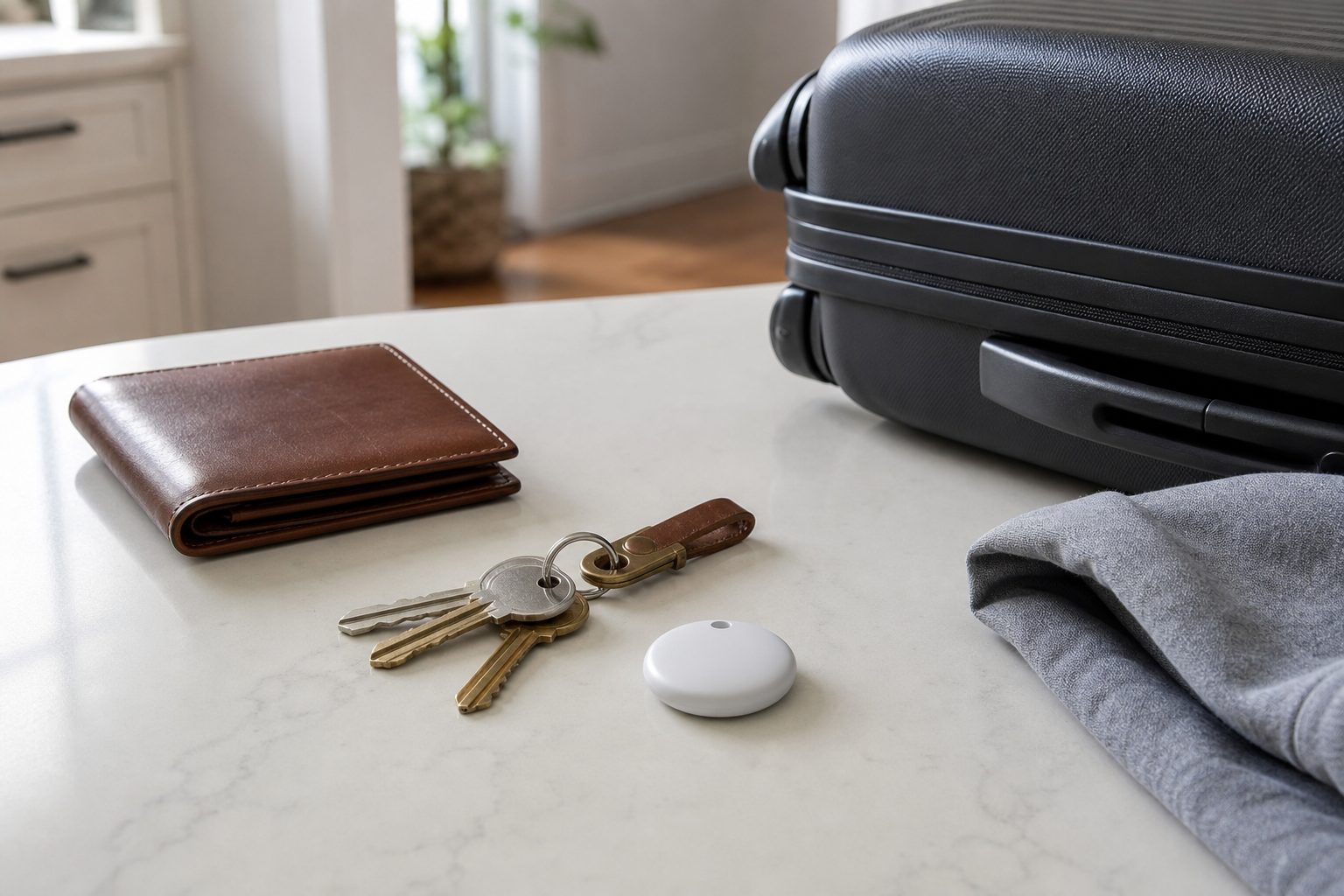
Should you buy one or four Google Pixel Tags? Check Android compatibility, UWB limits, accessories, luggage use, pricing, and key details before the November 11, 2026 release.
Google Pixel Tag looks like a sensible choice for Android users who regularly misplace keys, luggage, wallets, backpacks, or other small essentials. Its strongest reason to consider it is the combination of Google’s Find Hub network, nearby sound alerts, and directional finding. The biggest reason to wait is that some of the most useful features depend on your phone’s hardware, and Google has not yet published every model-by-model compatibility detail.
Google says Pixel Tag is scheduled to launch on November 11, 2026. The Google Store currently lists one-pack and four-pack options. Google has announced U.S. prices of $29 for one tag and $99 for four, while Canadian pricing and final retailer availability remain unconfirmed.
For most Android users, the buying decision is straightforward: get one if you have one item that is frequently lost, or choose the four-pack if you already know which four belongings you want to protect. Don’t buy four just because the per-tag price is lower.
| Your situation | Best decision |
|---|---|
| You lose keys, a wallet, or a backpack often | A one-pack is a practical starting point. |
| Your household has several bags, keys, or shared items | The four-pack may be the better value if all four tags will be used. |
| You travel with checked luggage several times a year | Consider one tag per frequently checked bag, but plan for a holder or attachment method. |
| You use an older or non-Pixel Android phone | Basic tracking may work, but verify your phone before paying for UWB-dependent features. |
| You expect a tag to provide live GPS tracking | Skip it or reset expectations. Pixel Tag is a Bluetooth-based finder tag, not a cellular GPS tracker. |
Pixel Tag is not designed to track people or pets, and Google’s Find Hub guidance warns against using tracker tags to locate stolen items. It is best understood as a tool for recovering your own belongings.
Google’s Store listing describes a slim tag measuring about 1.1 by 1.8 by 0.2 inches in the U.S. listing, or 28 by 46.1 by 5.4 millimeters in the Canadian listing. It weighs about 0.4 ounces with the battery and uses a replaceable CR2032 coin cell. Google estimates more than one year of battery life.
The tag has a built-in speaker, an accelerometer, Bluetooth Channel Sounding, and Ultra-Wideband support for Precision Finding. It is also rated IP67 for water and dust resistance. That makes it suitable for ordinary splashes and accidental drops, but it is still worth placing it where it will not be crushed or repeatedly soaked.
One important detail: the box contains the tag, not necessarily the accessory needed to attach it to every item. A wallet may accept the thin tag directly, but keys, luggage, and some backpacks may need a compatible holder, loop, adhesive mount, or dedicated pocket. Confirm the attachment method before ordering.
View the official Google Pixel Tag product page
View the official Google Pixel Tag product pageGoogle lists compatibility with Android phones running Android 9 or later. That is the basic operating-system requirement, not a guarantee that every feature will work identically on every phone.
Nearby tracking can use Bluetooth to connect to the tag and play a sound. Directional or meter-by-meter guidance is more demanding. Google’s Find Hub support documentation says UWB Precision Finding requires both the tag and phone to support UWB, with availability and performance varying by model. Google’s current examples include select Pixel, Samsung Galaxy, and Motorola devices rather than every Android phone.
Before buying, check three things:
A standard Android phone may still locate the tag on a map and make it ring even if it cannot provide the most precise nearby directions. That distinction matters if you are buying Pixel Tag mainly for finding an item under a couch cushion or inside a crowded room.
Check Google’s official Find Hub compatibility and setup guidance
Check official Find Hub compatibility and setup guidanceA single tag is usually enough for the item you misplace most. The reverse-ringing feature is also useful: pressing the tag can ring your phone, even when the phone is set to silent. That makes the tag a two-way finder rather than a one-direction accessory.
Pixel Tag can show a bag’s recent or network-assisted location when it is out of Bluetooth range. Google says Find Hub can use a network of more than one billion Android devices to help locate items away from your phone. The result is not a continuous live map. It depends on other compatible Android devices detecting the tag and securely reporting its location.
For checked luggage, place the tag somewhere protected but accessible enough for the speaker to be heard. You should also make sure the tag does not block a bag’s zipper, interfere with a luggage lock, or fall loose inside a compartment.
Find Hub allows an accessory or tracker tag to be shared with up to 10 people. That could be useful for a shared car key, family suitcase, or equipment bag. Sharing is managed through Find Hub, and the invited person needs an Android device to accept and use the shared item.
Learn how to share a tracker tag in Find HubPixel Tag’s network is its biggest advantage, but network finding is not guaranteed to update immediately. A tag left in a remote location, a basement, or an area with few Android devices may produce only an older location or no new location until another compatible device detects it.
UWB is another limitation. The tag supports the technology, but your phone must support it too. Google has not yet published a complete Pixel Tag-specific list covering every U.S. and Canadian Android model. If you use a midrange Android phone or an older Pixel, treat directional finding as unconfirmed until your exact model appears in Google’s compatibility information.
You should also budget for accessories. The tag’s slim design may fit inside a wallet, but keys and luggage often need a holder. Google’s product listing confirms the tag itself, while the appropriate attachment choice depends on the item you plan to track.
| Choose | It makes sense when |
|---|---|
| One-pack | You have one priority item, want to test Find Hub, or are unsure whether your phone supports the full feature set. |
| Four-pack | You already have four clear uses, such as two sets of keys, one suitcase, and one backpack. |
| Wait | You need Canadian pricing, an exact phone compatibility confirmation, or a specific accessory that Google has not yet listed. |
At Google’s announced U.S. pricing, the four-pack lowers the cost per tag compared with buying four individual tags. That discount only matters if the extra tags will be attached and maintained. Spare tags left in a drawer are not a bargain.
Android users do not have to choose only between Pixel Tag and an Apple AirTag. Find Hub already supports compatible tracker tags from other manufacturers, including products that may offer different shapes, attachment options, or rechargeable batteries. Those alternatives may be worth comparing if you need a built-in keyring, a louder speaker, or a design made specifically for a wallet.
Apple AirTag is mainly attractive for people who already use iPhones and Apple’s Find My network. It is not the natural choice for an Android-first household. Before switching ecosystems, compare the phone support, network coverage, sharing features, replacement battery type, and privacy alerts rather than focusing only on the tag price.
Pixel Tag is worth considering for Android users who want a simple way to recover keys, luggage, wallets, or backpacks through Find Hub. Start with one if you are testing the idea or are uncertain about UWB compatibility. Choose the four-pack only when several household items already have a clear tracking role. Canadian shoppers should wait for local pricing and final availability, while all buyers should verify their phone model and attachment needs before placing an order.
Check the Canadian Google Store product pageA. Google lists Android 9 or later as the basic compatibility requirement. However, features such as UWB directional finding depend on the hardware and software support of the specific phone model.
A. No. Pixel Tag is a Bluetooth-based finder tag. When it is away from your phone, Find Hub can use nearby Android devices in its network to help report the tag’s location.
A. Yes, luggage is one of Google’s stated use cases. Put the tag securely inside or on the bag, and remember that network location updates depend on nearby compatible Android devices detecting it.
A. Google has published a Canadian product page, but Canadian pricing and final local availability were not shown in the official information reviewed for this guide. Check the Canadian Google Store page before ordering.
A. Google says the user-replaceable CR2032 battery lasts for more than one year. Actual battery life can vary with usage and environmental conditions.