Welcome to KnowHow Daily!
Practical guides, money-saving tips, tech solutions, government benefits, and useful information for everyday life.
Welcome to KnowHow Daily!
Practical guides, money-saving tips, tech solutions, government benefits, and useful information for everyday life.


| – Microsoft has not described Windows 11 26H1 as a standard feature update for existing 24H2 and 25H2 PCs. – For an existing PC, the important question is whether its current release continues to receive monthly security and quality updates. – Before any major update, record the version, free disk space, BitLocker recovery key location, driver status, and compatibility of essential software. |
The version name makes it look as though every Windows 11 PC should move from 25H2 to 26H1. Microsoft’s 2026 guidance is more specific: 26H1 is positioned as a preinstalled release for selected new hardware rather than a routine in-place feature update for all existing PCs. Not seeing 26H1 in Windows Update is therefore not necessarily a problem. Existing-PC owners should focus on the support status of their current version, monthly updates, and recovery preparation.
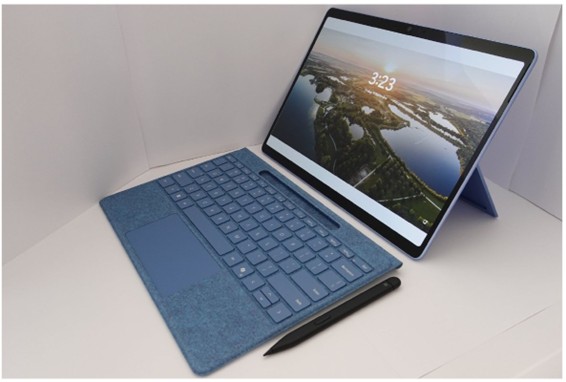
Laptop computer image. KK IN HK, background by Benh LIEU SONG, CC BY-SA 4.0. View original on Wikimedia Commons
Windows 11 26H1 is optimized to support next-generation silicon in selected 2026 devices. Microsoft’s release-health guidance says it is not offered as an in-place feature update to existing 24H2 or 25H2 systems. Forcing an ISO installation does not guarantee better performance and can create driver, recovery, or manufacturer-support problems. The version number matters less than receiving supported security updates on the correct channel for your device.
Open Settings, System, About, then review Windows specifications for the edition, version, and OS build. In Windows Update, Update history shows recently installed quality updates and failed items. On a company-managed PC or a computer attached to specialized equipment, updates may be delayed by an administrator. Check organizational notices and the hardware manufacturer’s compatibility guidance first.
Most updates install without trouble, but a few minutes of recovery preparation can save hours if an installation fails.
In Windows Security, confirm that Virus & threat protection, Firewall & network protection, and reputation-based protection are active. Supported devices can also use Windows Hello PIN, fingerprint or face recognition, and device encryption. Instead of disabling automatic updates, set Active hours so restarts occur when the computer is not in use. Optional updates are best reviewed when they solve a specific problem or provide a feature you need.
Before deleting update caches or applying random fixes, record the failed KB number and error code. Those details are needed to find the correct Microsoft known-issues notice or manufacturer advisory.
Q. Will installing a Windows 11 26H1 ISO make an existing PC faster?
A. It is not recommended. It is not a general feature update for existing PCs, does not guarantee a performance gain, and may cause driver or recovery problems.
Q. Are Windows 11 24H2 and 25H2 already unsupported?
A. No. Each version follows its own servicing lifecycle for monthly security, quality, and feature updates.
Q. Should I install every optional update?
A. No. Unless it solves a specific problem or lets you test a feature early, it is reasonable to wait for the regular update cycle.