Welcome to KnowHow Daily!
Practical guides, money-saving tips, tech solutions, government benefits, and useful information for everyday life.
Welcome to KnowHow Daily!
Practical guides, money-saving tips, tech solutions, government benefits, and useful information for everyday life.


A practical checklist for U.S. tax professionals handling rejected 2025 Form 1040 returns after the October 15 extension deadline, including retransmission, payments, attachments, client notices, and proof of timely filing.

For tax year 2025 individual returns filed on extension from Form 4868, the IRS lists October 15, 2026, as the last day to transmit the return. If that return is rejected, October 20, 2026, is the last day listed for retransmitting rejected, late, or extended returns in the Form 1040 family.
That five-day window is a recovery period, not a second extension of the taxpayer’s filing deadline. The return still needs to be corrected and successfully accepted. A transmission receipt by itself does not prove that the IRS accepted the filing.
The practical distinction is simple: transmitted means the return was sent to the IRS, while accepted means the IRS processed the submission past its electronic validation checks. Tax professionals should track both events.
View the official Form 1040 MeF due-date page
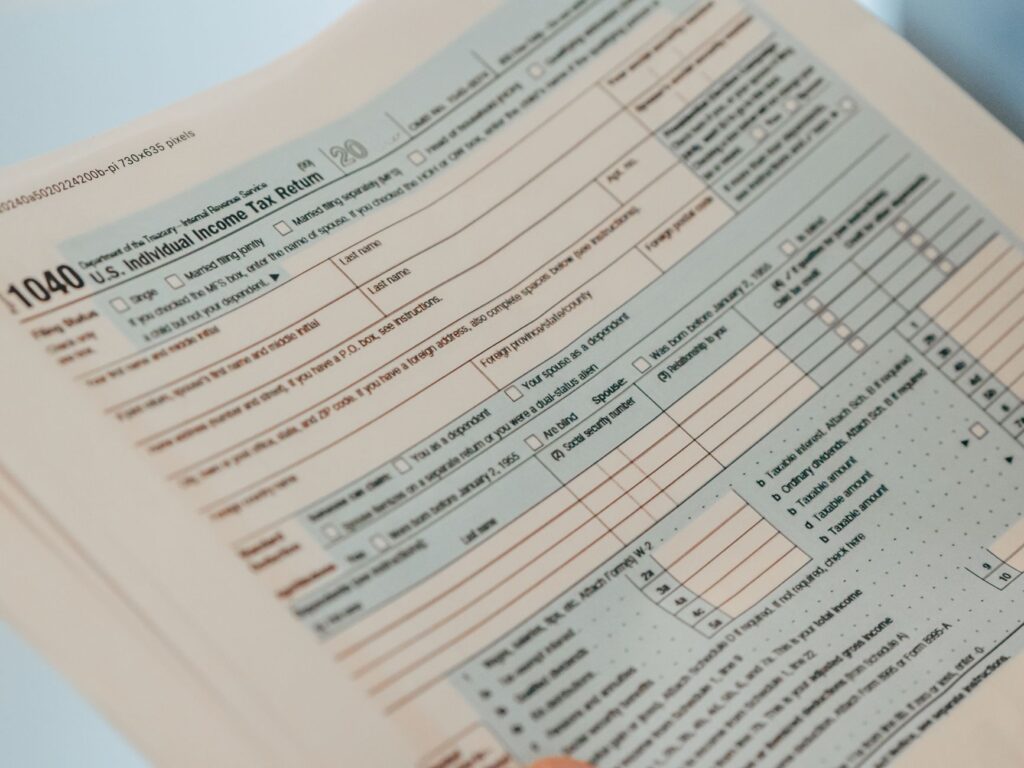
Start with the electronic acknowledgement from the software provider or transmitter. Do not rely only on an internal status such as “sent,” “submitted,” or “pending.” Look for an IRS acknowledgement showing either acceptance or rejection, along with the rejection code, explanation, and affected form or schedule.
A rejected return usually remains fixable electronically. The rejection message should point to the data, form, identity information, missing schedule, or business rule that prevented acceptance. Modernized e-File rejection details are designed to identify the location and reason for the error more precisely than older systems did.
Before changing anything, save the original acknowledgement and note:
Those records matter if the corrected submission is delayed, if the client receives a notice, or if the preparer later needs to explain why the return was submitted after October 15.
Do not correct only the first visible error and assume the return is ready. Some rejections reveal additional issues after the first correction. Review every listed code, the affected form or schedule, and any instructions from the software provider.
Compare names, Social Security numbers, dates of birth, dependent information, and prior-year adjusted gross income or signature information with the source documents and the taxpayer’s prior filing records. Identity and duplicate-filing issues can require special handling, so do not repeatedly retransmit an unchanged return.
If the rejection concerns a missing or invalid attachment, confirm that the corrected PDF or other permitted attachment is included in the new submission. The IRS Modernized e-File system supports PDF binary attachments, but the software may impose specific file-name, size, formatting, or form-specific requirements.
Open the final return package before retransmitting. Check that the attachment is legible, belongs to the correct taxpayer and tax year, and matches the figures reported in the electronic return. A corrected calculation with an old attachment can create a second rejection or an inconsistent filing record.
Run the provider’s diagnostics after making each correction. If the software reports a separate state return issue, check whether the federal rejection has also been cleared. Federal and state acknowledgements are separate, and a federal acceptance does not automatically establish state acceptance.
Review IRS e-file provider guidance
One of the most common mistakes after a rejected extended return is assuming that a payment or extension request means the income tax return was filed. It does not.
An extension provides additional time to file, but the tax owed generally remained due on April 15, 2026. If the taxpayer paid through IRS Direct Pay, an IRS Online Account, EFTPS, electronic funds withdrawal, or another method, keep the payment confirmation and verify that it was applied to the correct taxpayer, form, and tax year.
For a balance due, confirm all of the following:
The IRS says Direct Pay provides a confirmation number for each submitted payment. That confirms the payment request, but the preparer or taxpayer should also verify the withdrawal or account posting. A payment satisfies a payment obligation; it does not replace the separate requirement to submit an accepted return.
Check official IRS payment options
Client communication should be prompt and specific. Avoid saying that the return was “filed” unless the IRS acknowledgement shows acceptance or your firm has a documented basis for the applicable perfection-period treatment.
A useful client message should explain:
If the rejection cannot be corrected electronically, contact the software provider or transmitter immediately about the paper-filing alternative and required explanation. IRS provider guidance addresses notification and paper-filing procedures for rejected electronic returns, but the applicable deadline can depend on when the rejection notice was issued and the type of return involved.
For each rejected extended return, create one complete electronic file rather than storing the evidence across unrelated folders. Include the signed client authorization or consent records required by your practice, the final return copy, the original transmission receipt, the IRS rejection acknowledgement, the corrected return, the retransmission receipt, and the final acceptance acknowledgement.
Add payment evidence separately. A bank confirmation, Direct Pay confirmation number, EFTPS record, or electronic funds withdrawal record supports the payment timeline but does not prove that the return was accepted.
The IRS has a perfection-period rule for certain rejected individual returns: when a return is submitted on or before its due date and the corrected return is accepted within the applicable period, the corrected return may be treated as received on the date of the first rejection. Tax professionals should apply the specific IRS and provider rules to the return at issue rather than assuming every late correction receives the same treatment.
Record the time zone used by the provider, especially when retransmitting near the cutoff. Save the acceptance acknowledgement, not just a screenshot of the software dashboard. If the provider reports a system problem, preserve the provider’s notice and any IRS operational-status information available for that period.
Check IRS Modernized e-File operational status
Escalate instead of repeatedly retransmitting when the rejection involves a duplicate return, an identity-theft indicator, a Social Security number mismatch that cannot be corrected from the client’s records, a return that the software cannot recreate accurately, or a filing that includes an attachment the provider will not accept.
Also check whether disaster relief or another special federal deadline applies to the taxpayer. The October 15 and October 20 dates are the standard dates listed for the relevant Form 1040 extension workflow; an IRS postponement may change the deadline for eligible taxpayers in a declared disaster area.
For most practitioners, the safest decision rule is: correct the documented error, retransmit before October 20, confirm acceptance, and preserve the complete chain of evidence. Treat payment verification and return acceptance as two separate tasks.
A. Not automatically. The return must be corrected and accepted under the applicable IRS electronic-filing rules. If the original submission was made by the due date and the corrected return is accepted within the relevant perfection period, the IRS may treat it as received on the date of the first rejection.
A. No. October 20 is the IRS-listed retransmission deadline for rejected, late, or Form 4868 extension returns in the applicable 2025 Form 1040 workflow. It is not a general extension of the October 15 filing deadline.
A. Keep the payment confirmation and continue resolving the rejected return. The payment and the filing are separate obligations, so a successful payment does not make the rejected return an accepted filing.
A. Retain the original transmission record, rejection acknowledgement, rejection code, corrected return, retransmission record, final acceptance acknowledgement, client communications, and separate proof of any tax payment. Include dates and times for each event.
A. Contact the software provider or transmitter promptly and review the IRS provider guidance for the paper-filing alternative. Document the rejection, the notification date, the reason electronic correction was unavailable, and the steps taken to notify the taxpayer.
Featured image: Leeloo The First / Pexels / Pexels License